The problem
Anyone who avoids gluten, dairy, eggs or similar ingredients does the same chore for every recipe: read each ingredient line and decide whether it is a problem.
Two things make that slow. Ingredient names can hide the allergen, so you need to know what a word means before you can judge it. And recipes arrive in different forms: typed text, a web page, a screenshot, a printed card with two columns and decorative art. A simple keyword search handles none of that well.
Goals and constraints
The goal was a checker that anyone can use in seconds and that is honest about what it does not know.
- Works without an account; logging in is only needed to save recipes and see history.
- Accepts messy input: pasted text, a recipe fetched by name, or a photo.
- Gives one of three clear answers per ingredient instead of guessing.
The constraints shaped the design as much as the goals did.
- I was working alone with no budget, so the OCR engine and all hosting had to be free.
- The free backend has 512 MB of memory, goes to sleep after 15 minutes without traffic, and takes about a minute to wake.
- The scan feature is public, so it had to resist being overused.
The solution
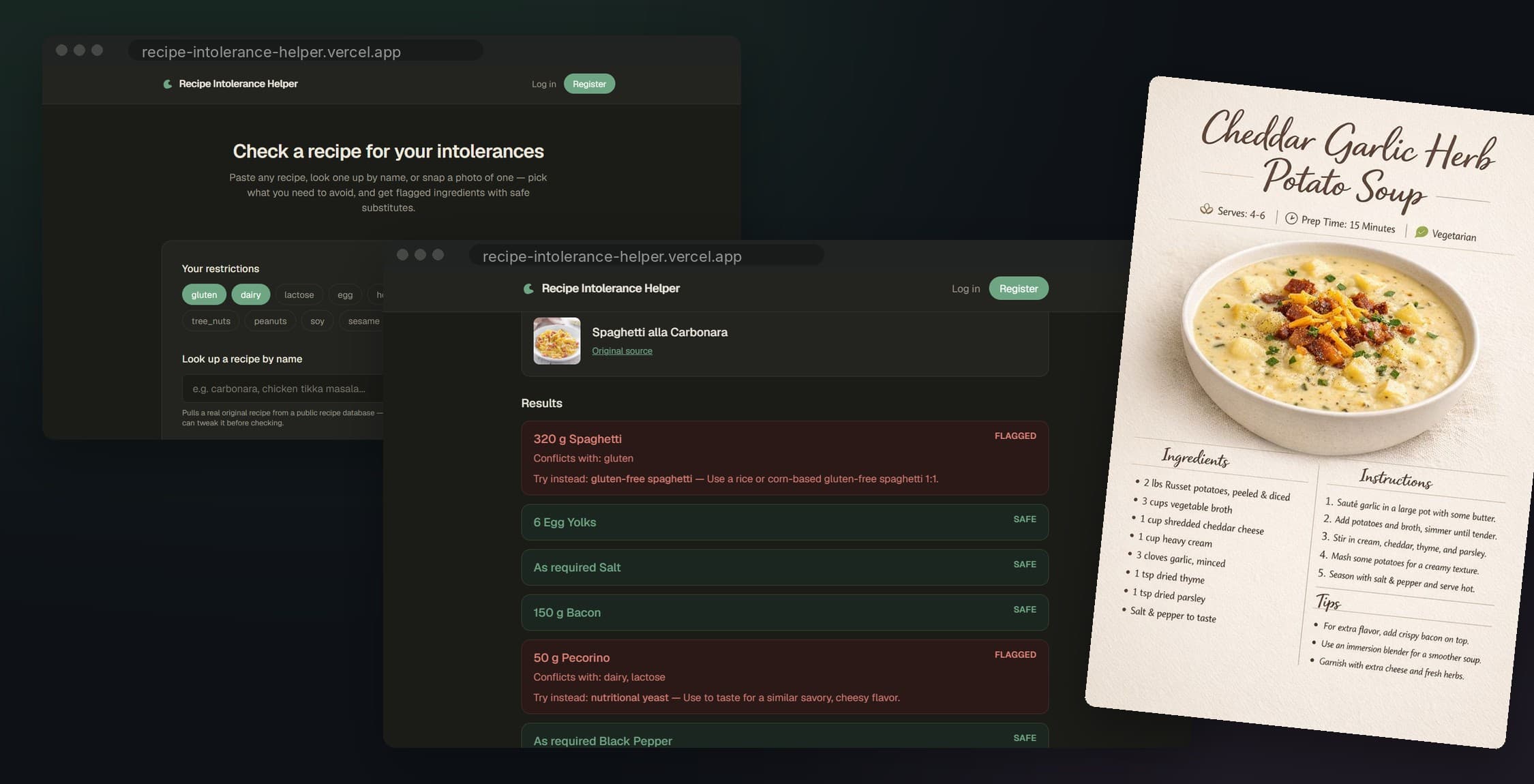
You pick your intolerances, from a preset such as gluten-free or lactose-free or from a custom list of 14 tags, then bring in a recipe in one of three ways.
Every ingredient comes back as one of three outcomes:
The third outcome is the one I care about most. A checker that quietly calls unknown ingredients “safe” is worse than no checker.
Logged-in users can save a checked recipe and look at their history. Photos are processed and never stored.
How it works
The app is three hosted parts and a database, plus two outside services.
The browser never talks to Render directly. Vercel forwards /api calls to it, which is what keeps the login cookie first-party.
Every recipe, however it arrives, goes through the same four steps:
A photo adds a step in front: OCR turns the picture into lines of text, picks out the ingredient column, and hands those lines to the same pipeline.
Challenges and decisions
Login across two hosting domains
The frontend lives on Vercel and the API on Render, so the login cookie became a third-party cookie, which browsers increasingly block. Instead of loosening cookie settings, I made the browser talk to one origin only: a Next.js rewrite forwards every /api request to the backend, so the cookie is first-party.
Reading messy recipe photos
Real recipe cards have two columns, decorative art and odd spacing, and plain OCR returns them as one jumbled stream. I use Tesseract's word-level output with a layout mode suited to columns, find column breaks from the gaps between words, and score each column for how much it looks like an ingredient list.
In the browser, large phone photos are shrunk first (over 2 MB, at most 5 million pixels, longest side 3000, JPEG at 0.85) with the camera's orientation respected, so uploads are fast and the server stays within its memory.
Free-tier cold starts
A sleeping server makes the first request fail or hang. The frontend retries up to 20 times, 4 seconds apart, and after 3 seconds shows a banner saying the server is waking up, so nobody thinks the app is broken. A scheduled ping every 10 minutes keeps the server awake in normal use.
Keeping a public scan endpoint fair
OCR is the heaviest thing the server does. I wrote a small sliding-window rate limiter: 10 scans per hour per visitor and 150 per hour across everyone, with tighter limits on login and registration. Refused requests get a 429 with a Retry-After header. The limiter takes an injected clock, which made it possible to test without waiting.
A parser bug found while preparing for interviews
While reviewing the code I found that a line like 1/0 cup sugar crashed the parser with a division error, and one bad line failed the whole recipe. The fix treats a line that only looks like it starts with a quantity as plain text, and new regression tests check that the other lines in the recipe still parse.
Quality and security
The backend has 165 automated pytest tests across 9 files, which run in CI on every push. Tests use an in-memory SQLite database, so they are fast and need no setup.
On security, secrets come only from environment variables and the app refuses to start if one is missing. Cookies are marked Secure in production, cross-origin access is limited to the frontend's own address, the heavy endpoints are rate limited, and uploaded photos are never written to disk or the database.
Limitations and next steps
The app is a portfolio project, not a medical tool, and it has known gaps that I would rather state than hide.
- Free hosting: the first visit after a quiet period is slow. A paid always-on host is on the roadmap.
- Rate limiter: it keeps its counts in memory, so they reset when the server restarts and would not be shared across several servers.
- Dictionary coverage: matching depends on my ingredient list, and some phrases are misread. For example, “stock cube” matches the “stock” entry and can be wrongly called safe.
- Error handling: the check, lookup, scan and save calls handle network errors, but the navigation bar and the login, register and history pages do not yet.
- Cleanup: the Pydantic config style is deprecated and one schema class is duplicated.